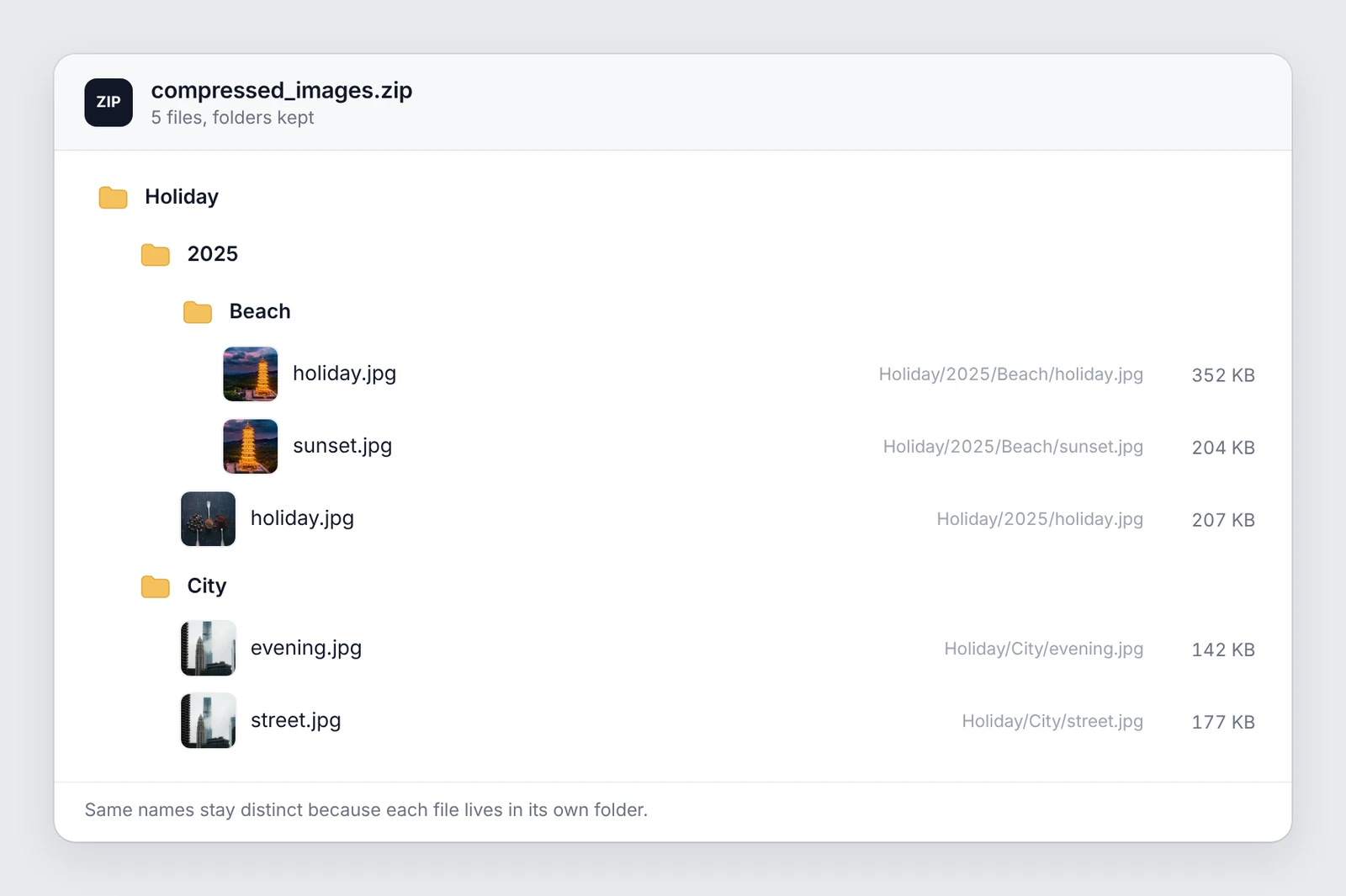
Keep the Folder Structure
Keep the folders you drop in the results and the ZIP. An opt-in switch, off by default. Files with the same name in different folders no longer clash.
Web UIGuideNew in v1.1
When you drop a folder of photos, the results are flat by default and duplicate names get a number. Turn on Keep folder structure if you want the same folders in the results and in the ZIP. Handy when two folders have files with the same name.
The switch only appears when the dropped files come from folders. It is off by default, and your choice is remembered.
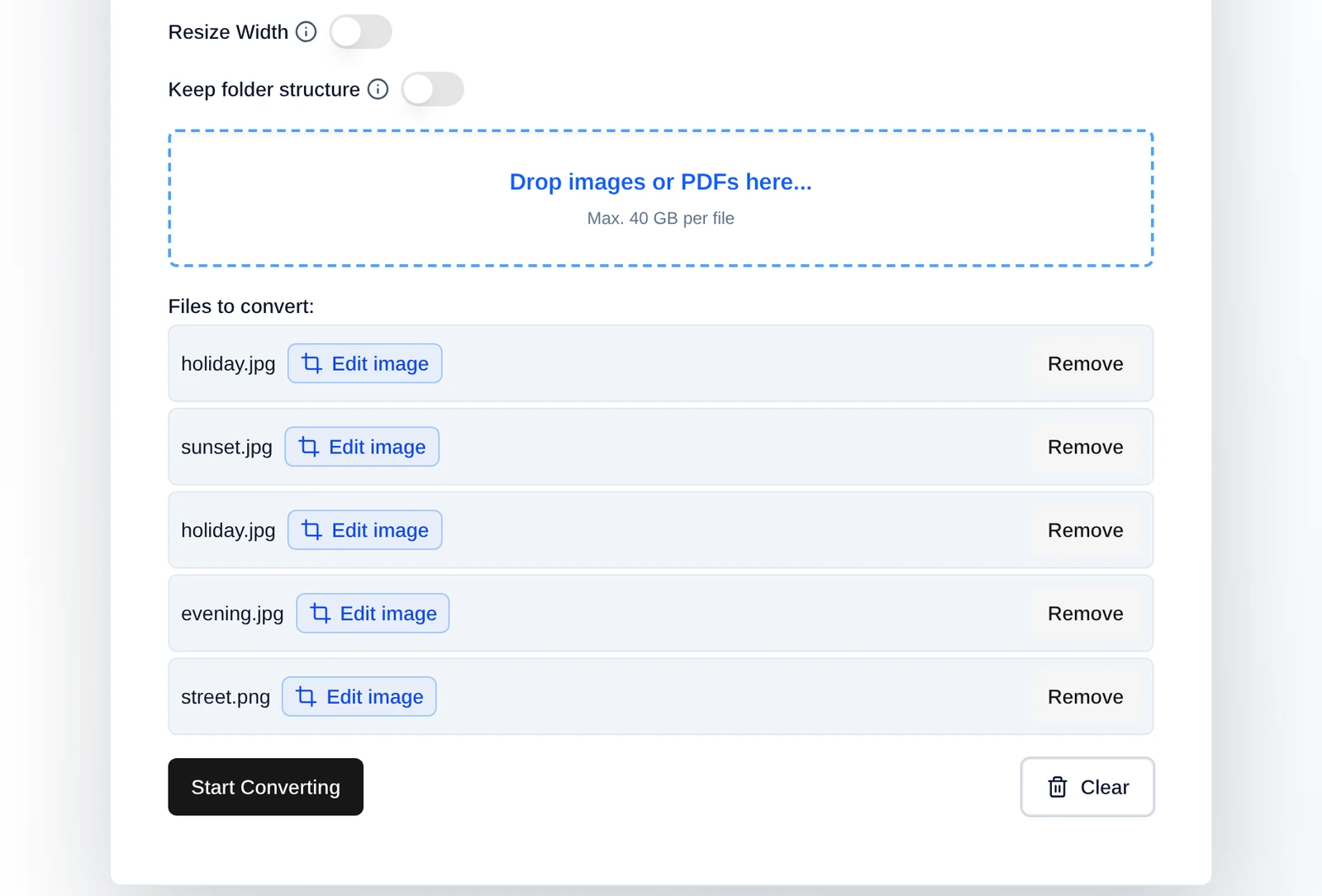
Drop a folder onto the upload area. With the switch off, the list is flat, as before.
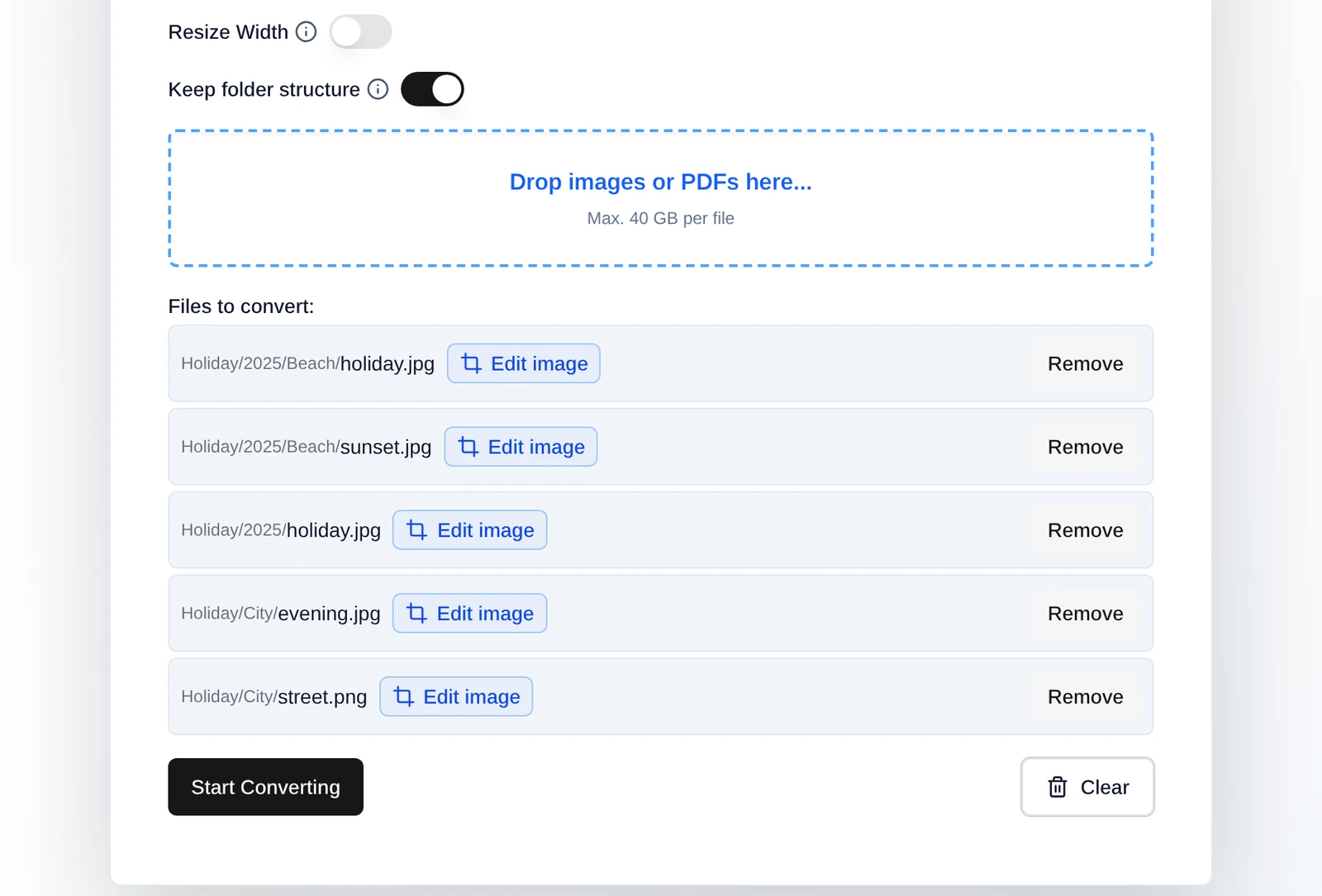
Turn on Keep folder structure. A grey folder path appears in front of each file name.
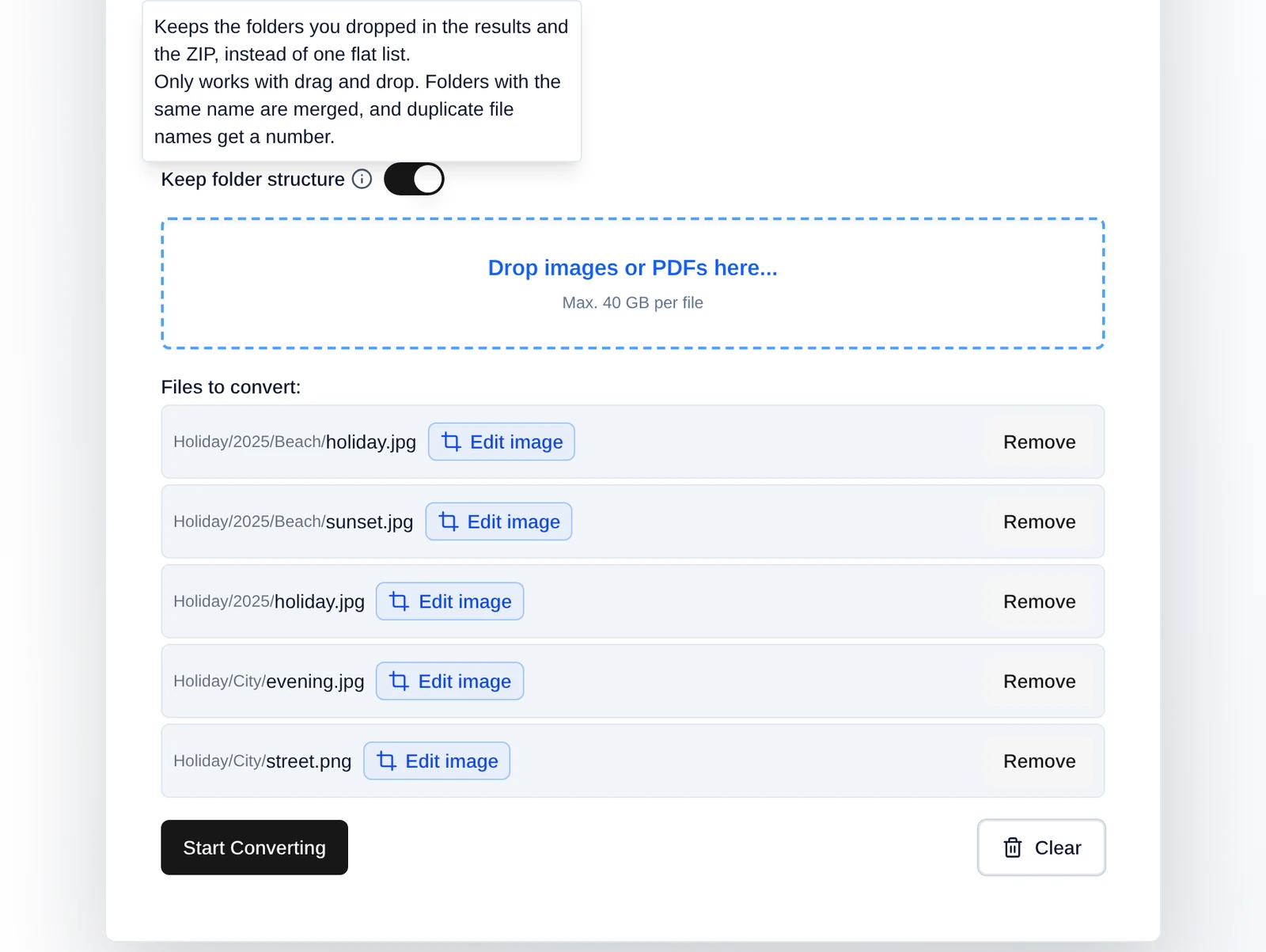
Hover the info icon for a short explanation:
Convert as usual. The results drawer and the ZIP keep your folders. You can still download a single file from the drawer.