Installation & Setup
Install ImgCompress with Docker or Docker Compose in under 60 seconds. Run private image compression and conversion on a server, NAS, homelab, or desktop.
Prerequisites#
You only need Docker installed. No other dependencies required.
Install#
Choose the method that works best for you.
Use Docker Compose if you want imgcompress to stay running on your server or NAS.
-
Create a
docker-compose.ymlfile and paste the following:yamlservices: imgcompress: image: karimz1/imgcompress:latest container_name: imgcompress restart: always ports: - "3001:5000" environment: # Set to true for a minimal, mascot-free UI - DISABLE_LOGO=false # Set to true to hide storage management from your users - DISABLE_STORAGE_MANAGEMENT=false -
Pull the latest image, then start the container:
bashdocker compose pull docker compose up -d
If you've installed imgcompress before, Docker may still have an older image cached locally. docker compose pull makes sure you're running the latest version.
- Open your browser at http://localhost:3001.
The file above is intentionally minimal. For permanent deployments the repository ships two hardened variants — log rotation, healthchecks, graceful shutdown and TLS.
| Variant | Best for | Adds |
|---|---|---|
advanced.docker-compose.yaml | Home / LAN | Hardened defaults, reachable from every device on your network. |
proxied.docker-compose.yaml | Domain + HTTPS | Traefik reverse proxy, automatic Let's Encrypt certificates, security headers. |
Both are configured through a .env file and documented in the folder's README.
Default UI (with mascot)
The standard interface includes Captain Compress, the product mascot.
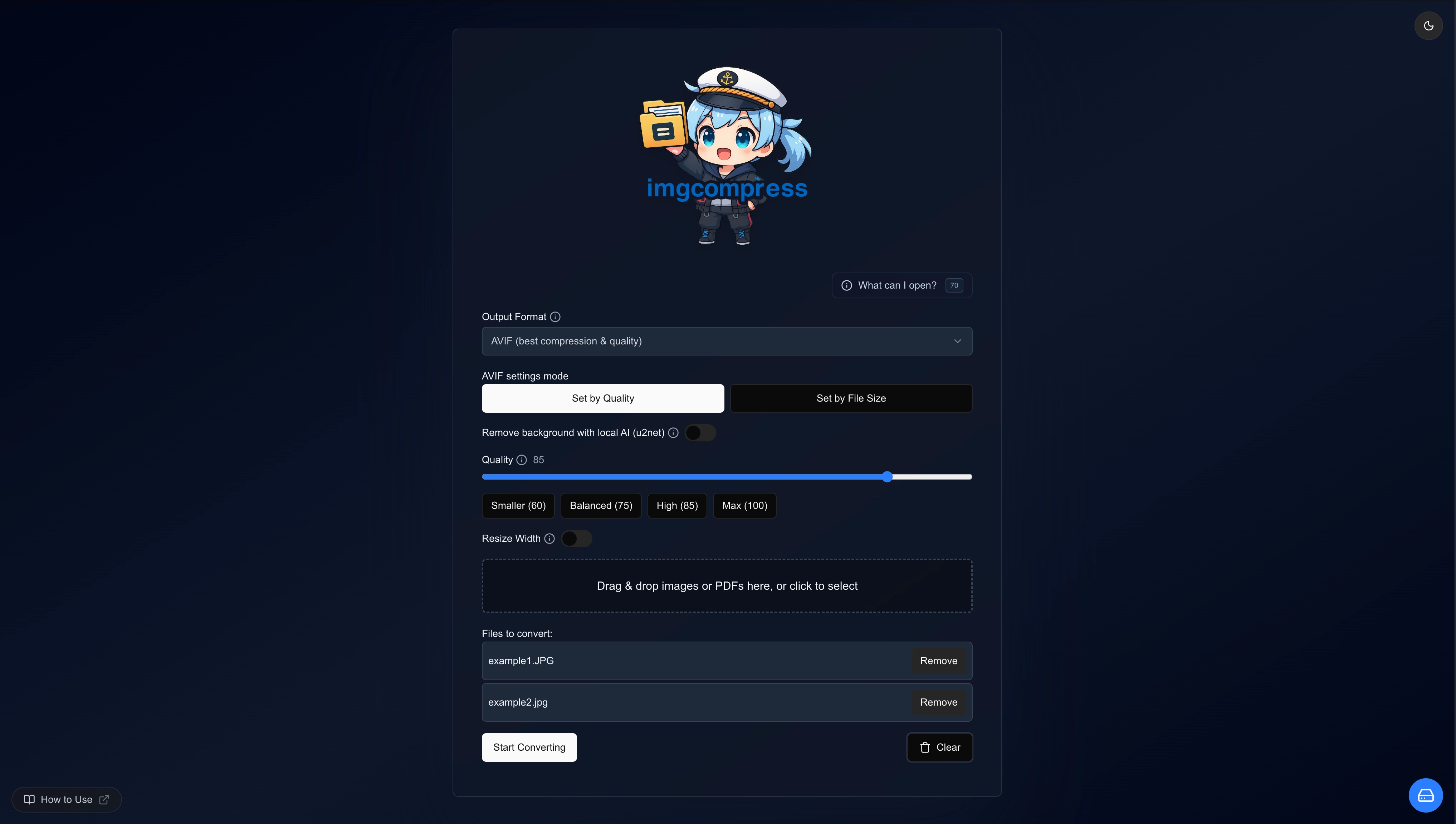 ImgCompress default web UI with Captain Compress mascot
Minimal UI (set DISABLE_LOGO=true)
A clean, mascot-free interface ideal for professional, shared, or corporate environments.
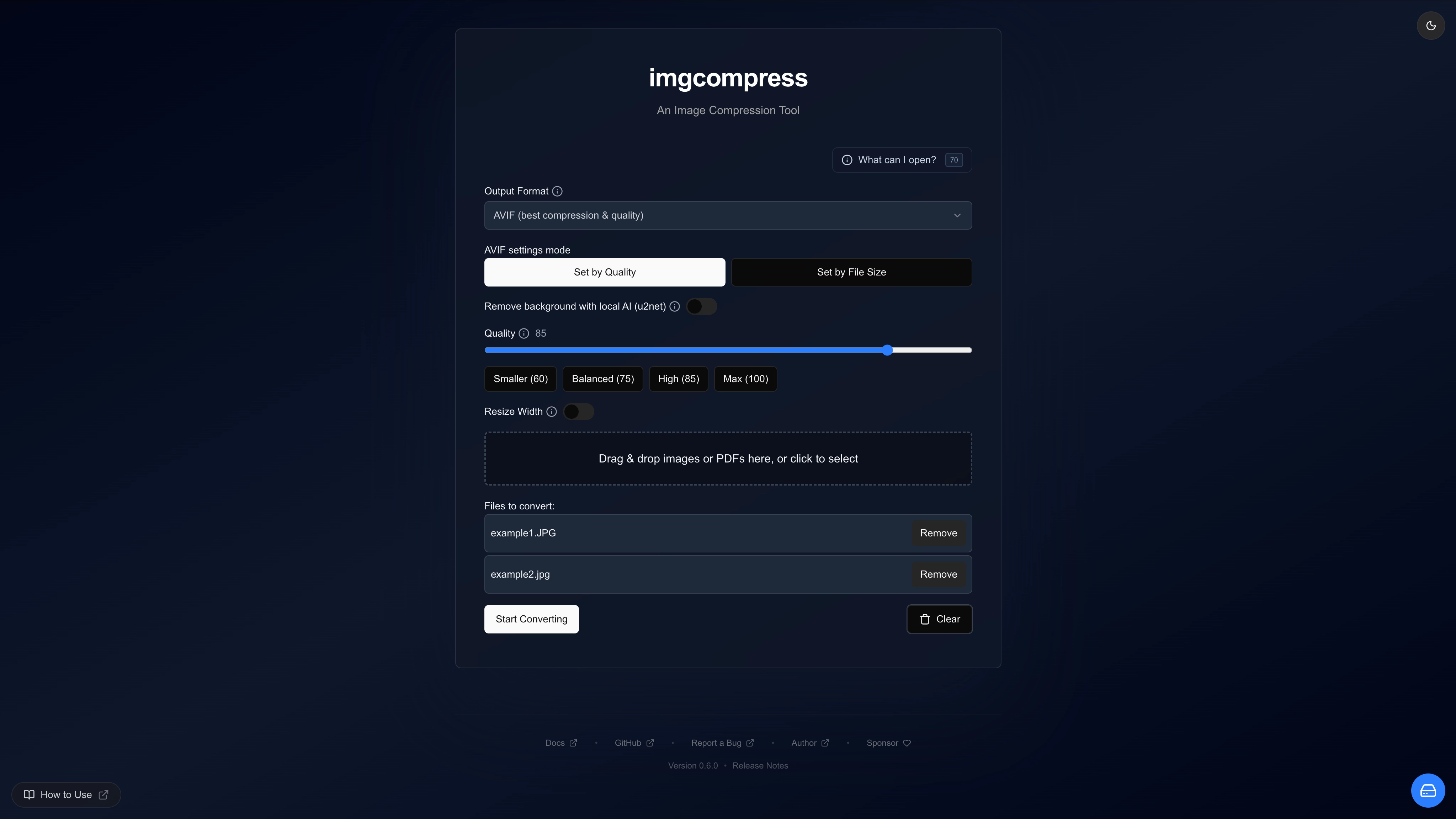 ImgCompress minimal web UI without mascot, DISABLE_LOGO=true
bashdocker compose pull docker compose up -d
Versions#
Most users should stick with latest.
| Tag | Type | Who is it for? |
|---|---|---|
latest | Stable release | Recommended for everyone. |
nightly | Daily build | For testing new features before they ship. |
The nightly tag rebuilds every few days, for hot patches from the main branch. It may contain experimental features or bugs. Not recommended for production.
Platform Support#
imgcompress runs on any platform that supports Docker:
| Platform | Status |
|---|---|
| Standard PCs & Macs | ✅ Supported |
| Windows (Docker Desktop) | ✅ Supported |
| Linux (any distro) | ✅ Supported |
| Apple Silicon (M1/M2/M3/M4) | ✅ Supported |
| Raspberry Pi 4+ | ✅ Supported |