Using imgcompress: Everyday Workflow
Upload, convert, download. Format and quality, AI upscaling, the editor, closing the tab, notifications and how long results stay.
Get StartedUsage
Upload, convert, download. Format and quality, AI upscaling, the editor, closing the tab, notifications and how long results stay.
Open imgcompress in your browser and work in a few steps. Everything runs inside your container.
Prerequisites: imgcompress is installed.
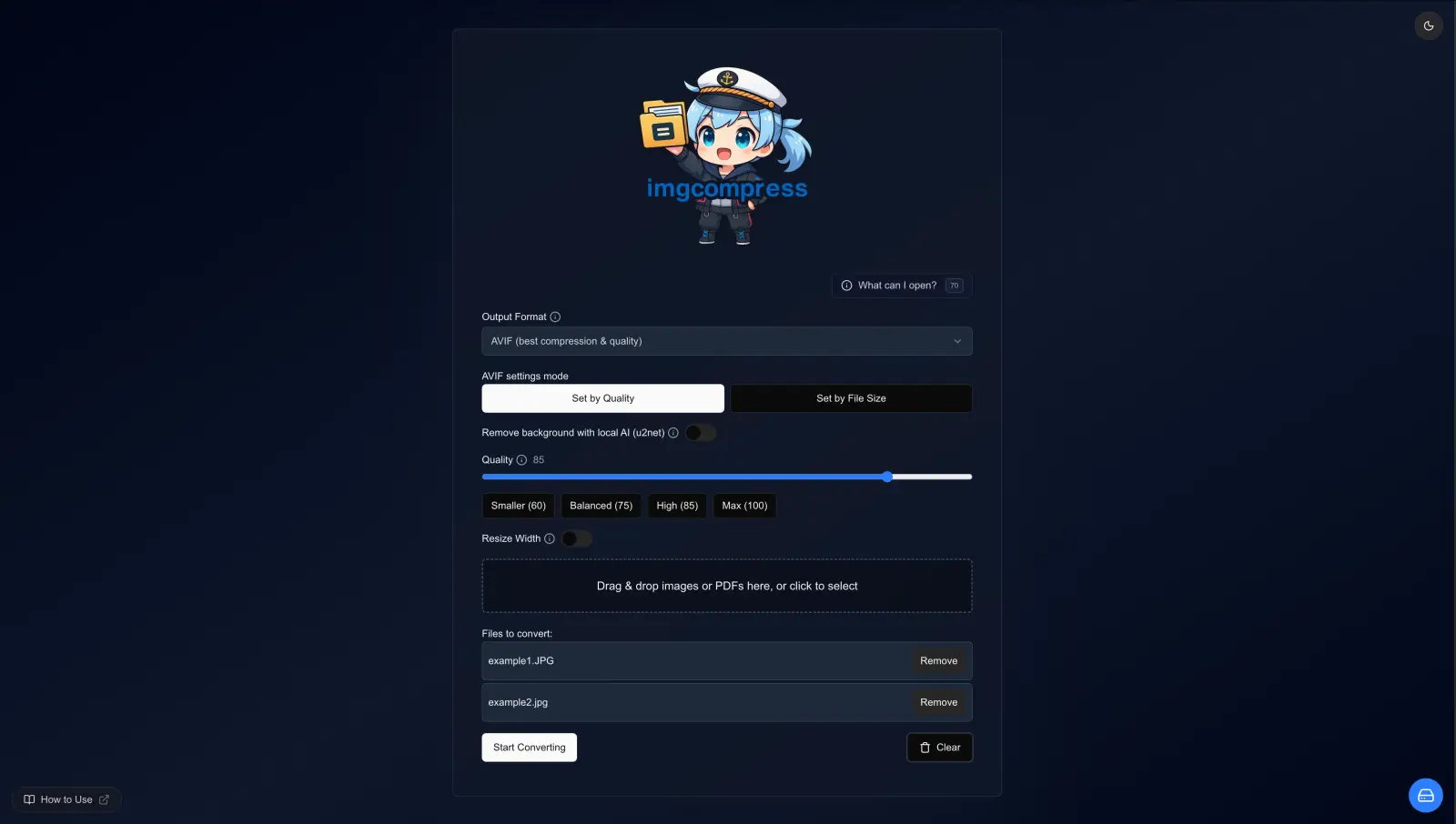
| Option | What it does |
|---|---|
| Output format | JPEG, PNG, WebP, AVIF, ICO or PDF. |
| Quality | 1–100 for JPEG, WebP and AVIF (default 85). Higher = larger file. |
| Resize Width | Optional max width in pixels. Ignored while AI upscaling is on. |
| Max file size | Optional cap in MB; quality is lowered to fit. Guide |
| AI upscaling | Make small images bigger. Guide |
| Remove background | Cut out the subject. Guide |
| Fit to exact size | Social / video sizes with smart crop. Guide |
Switch on AI upscaling, pick a model and a size, then convert.
| Choice | Options |
|---|---|
| AI model | General (photos) · Anime (drawings, logos) |
| Image type (General) | Photo (keep details) (default) · Balanced · Old or noisy photo (smooth) |
| Upscale to | 2× / 4× / 8×, or Full HD / 4K / 6K / 8K / 16K |
Same speed for all image types. Big results on a small CPU can take minutes — close the tab or turn on Notify me when done.
On a file row, click Edit (or Crop). Crop, pick an exact size, add background, text or a logo, then Save. The download matches the preview. On phones you get crop and size; full design tools work best on a larger screen.
More: Image editor · Smart crop · Add text
Every conversion is a background job inside the container.
If your admin set NOTIFY_URL, a Notify me when done switch appears on the wait screen.
| Fact | Detail |
|---|---|
| Opt-in | Off until you turn it on. |
| Remembered | Saved in this browser only (localStorage). |
| Message | Count and duration — never file names or images. |
| Link | With PUBLIC_BASE_URL, a private link opens the result on any device. |
Setup: Notify me when done.
Each job has its own secret key in the browser that started it. Other people on the same imgcompress can't open your job by guessing its number. To open a result on another device, use the private link from a notification.