Smart Crop: Resize Images to an Exact Size
Resize images to an exact size like 1280 × 640 or 1200 × 630 without cutting off titles or faces. ImgCompress finds the important part for you.
EditorGuideNew in v1.0
Resize images to an exact size like 1280 × 640 or 1200 × 630 without cutting off titles or faces. ImgCompress finds the important part for you.
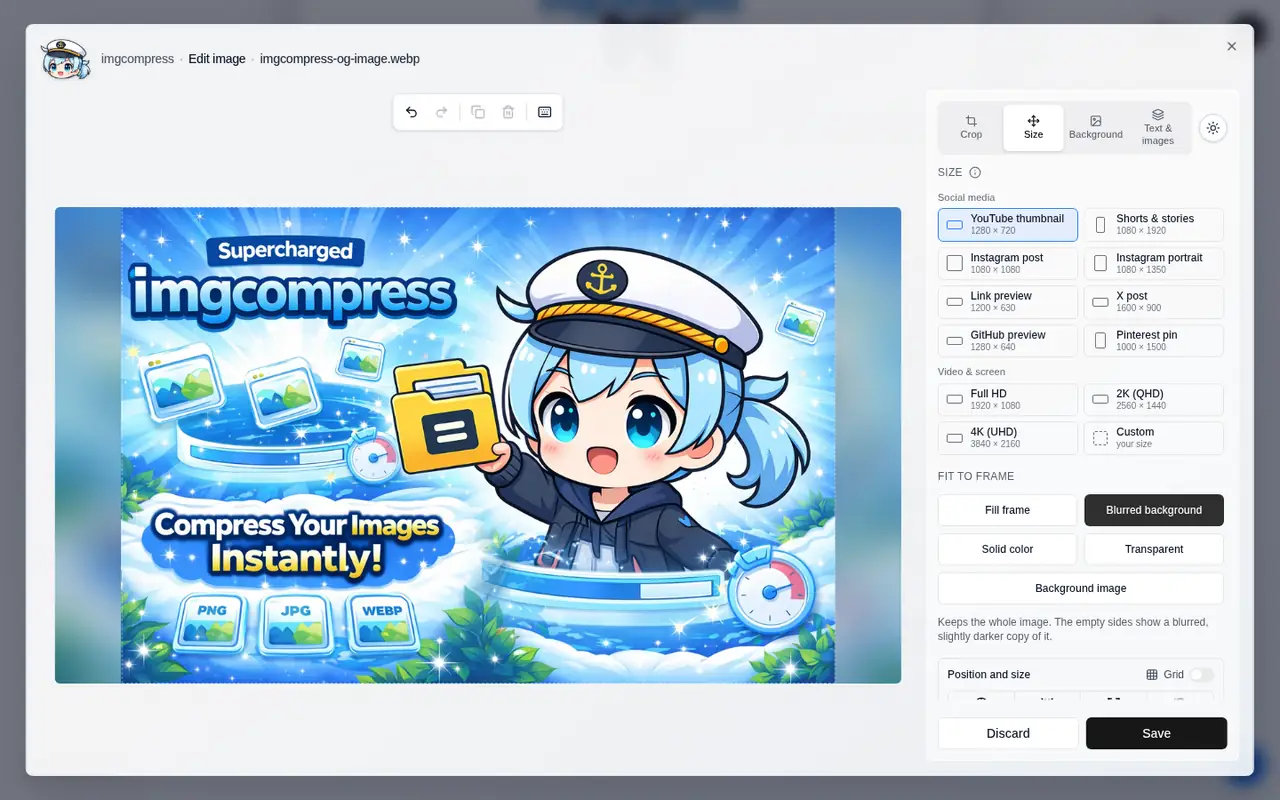
Social media previews, thumbnails and banners need an exact size. A plain resize either squashes the image or cuts it in the wrong place. Smart crop picks the best part for you and keeps titles, faces and other details in the picture.
| Original · 1536 × 1024 | Fill frame · 1280 × 640 | Blurred background · 1280 × 640 |
|---|---|---|
 |  |  |
For a batch, Auto fit all images prepares an automatic result for every file with the chosen size and mode. Open any file to check or adjust it before you convert.
bashdocker run --rm \ -v "$(pwd):/container/images" \ -v "$(pwd)/done:/container/done" \ karimz1/imgcompress:latest \ cli /container/images /container/done \ --format jpeg --fit 1280x640 --fit-mode crop
| Option | Values |
|---|---|
--fit WIDTHxHEIGHT | The exact output size, e.g. 1200x630. |
--fit-mode | crop (default), blur, solid, transparent |
--fit-anchor | auto (default, smart crop), center, top, bottom, left, right |
--fit-color | Fill color for solid, e.g. #ffffff |
All flags: CLI reference.
It is fast and simple, and nothing leaves your container. ImgCompress tries every possible crop and keeps the one that shows the most detail and color. It avoids cutting through text or faces. If several crops are about as good, it picks the one in the middle, so a plain photo gets a plain centered crop. This takes much less than a second.