Configuration Reference: All Settings
Every imgcompress setting in one place: upload limit, web workers, notifications, update check, logo and storage panel, with defaults and examples.
ConfigurationDocker
Every imgcompress setting in one place: upload limit, web workers, notifications, update check, logo and storage panel, with defaults and examples.
imgcompress is configured with environment variables on the container. Everything is optional: without any settings you get a normal install.
Add it to the environment: section of your compose file, or pass it with -e to docker run. Then restart the container.
yamlservices: imgcompress: image: karimz1/imgcompress:latest environment: - MAX_UPLOAD_SIZE_MB=1024 - WEB_WORKERS=2
bashdocker compose up -d
| Variable | Default | What it does |
|---|---|---|
DISABLE_LOGO | false | true hides the mascot for a minimal UI. |
DISABLE_STORAGE_MANAGEMENT | false | true hides Manage Stored Files, so users can't see each other's files. |
MAX_UPLOAD_SIZE_MB | 40960 (40 GB) | Largest upload per file in MB, also for editor pictures. Upload limit |
WEB_WORKERS | auto (one per CPU core) | Number of web workers. Lower it to save RAM. Web workers |
NOTIFY_URL | not set (off) | Apprise URL for Notify me when done. |
PUBLIC_BASE_URL | not set (no link) | The address users open imgcompress at, like https://imgcompress.lan. The notification then links to the result. |
TZ | not set (UTC) | Container time zone, used for the link expiry in notifications, e.g. Europe/Berlin. |
DISABLE_UPDATE_CHECK | false | true stops the browser from asking GitHub for new versions. Privacy |
DEV_MODE | false | Developer tools for testing error screens. Not for normal use. Developer guide |
Wrong values fail fast. A bad value for DISABLE_*, MAX_UPLOAD_SIZE_MB or WEB_WORKERS stops the container at start, and the log says which setting is wrong. An invalid PUBLIC_BASE_URL is ignored with a warning in the log.
By default every file can be up to 40 GB (40960), so big PSD and PDF files work. To allow less, set MAX_UPLOAD_SIZE_MB, for example 500 for 500 MB.
The upload area then shows the new limit, like "Max. 500 MB per file", and bigger files are rejected with a clear message.
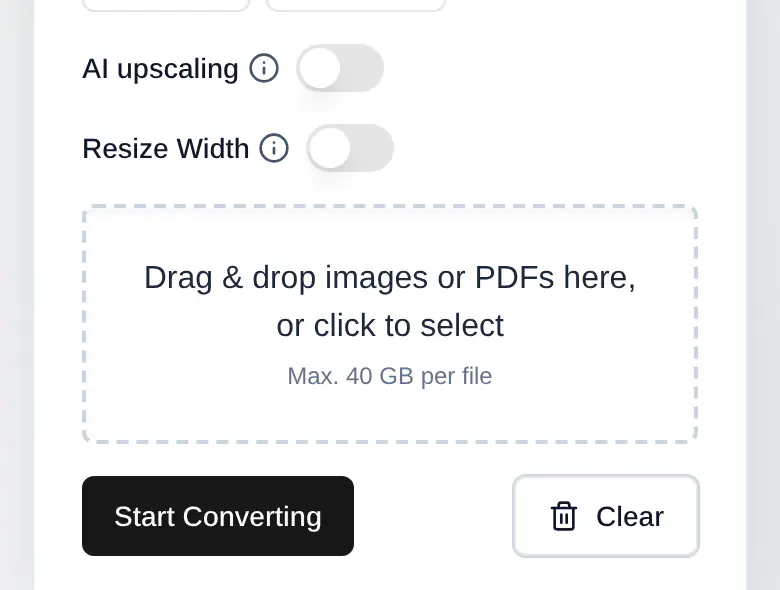
If people on the Internet can open your copy, use a smaller limit like 1 GB: MAX_UPLOAD_SIZE_MB=1024.
By default (auto) imgcompress starts one web worker per CPU core. Each worker needs its own RAM. On a small NAS, Raspberry Pi or VM, set fewer, like WEB_WORKERS=2. Use auto or a whole number of 1 or more.
NOTIFY_URL, PUBLIC_BASE_URL and TZ turn on Notify me when done. Any Apprise service works — ntfy is the worked example: Notify me when done.