Privacy & Security Model
imgcompress is fully self-hosted — your files are processed on your own server and never leave your infrastructure. No cloud storage, no third-party APIs, no tracking. Complete data sovereignty for privacy-conscious users and teams.
imgcompress runs entirely on your own server. When you upload an image, it goes to your Docker container, not to any cloud or third party. Only you (and anyone you give access to your server) can ever see your files.
How self-hosting protects you#
Because imgcompress is self-hosted, the privacy model is straightforward: your files never leave your infrastructure.
- Your uploads stay on your server. Files are written to disk inside your Docker container and nowhere else.
- Processing is local. Compression, conversion, and background removal all run on your server's hardware. No API calls, no external services.
- No account required. Nothing to sign up for, nothing to log in to.
- Open source. Every line of code is public. You can verify exactly what the app does before running it.
Keeping your server offline#
For maximum privacy, you can block your Docker container from the internet entirely. imgcompress works fully offline. The only network call it makes is the optional version check described below.
Use Docker's network settings or your firewall to isolate the container. If you do, the version check simply won't run.
Verifying connectivity with the Heartbeat Check#
The built-in Heartbeat Check lets you confirm at a glance whether your container can reach the internet, without opening a terminal.
| Step | How it looks | What to do |
|---|---|---|
| 1 | 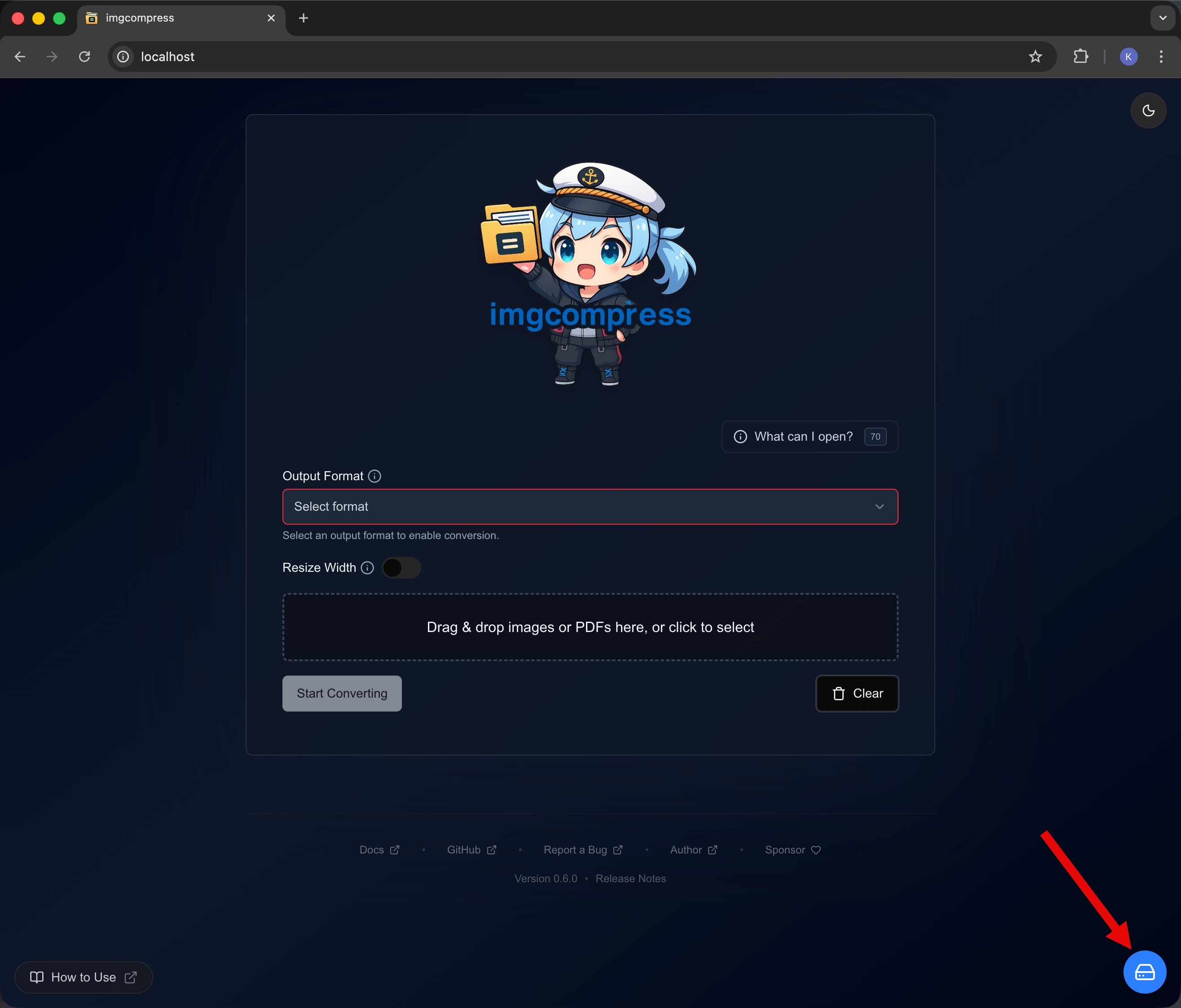 Open Storage Management Open Storage Management | Storage Menu Open the "Storage Management" section in the app. |
| 2 | 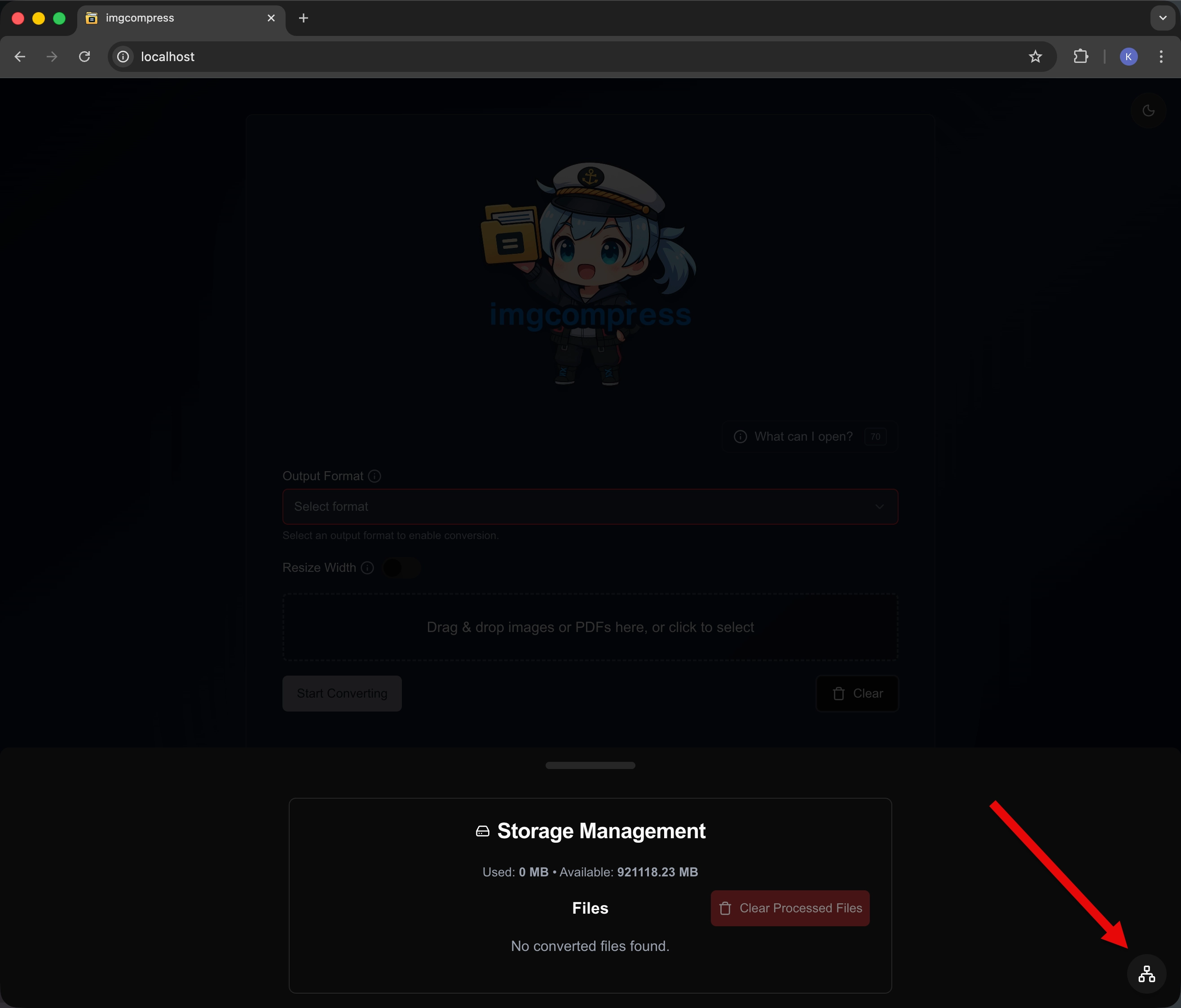 Click Status Button Click Status Button | Check Status Click the "System & Connectivity Status" button. |
| 3 | 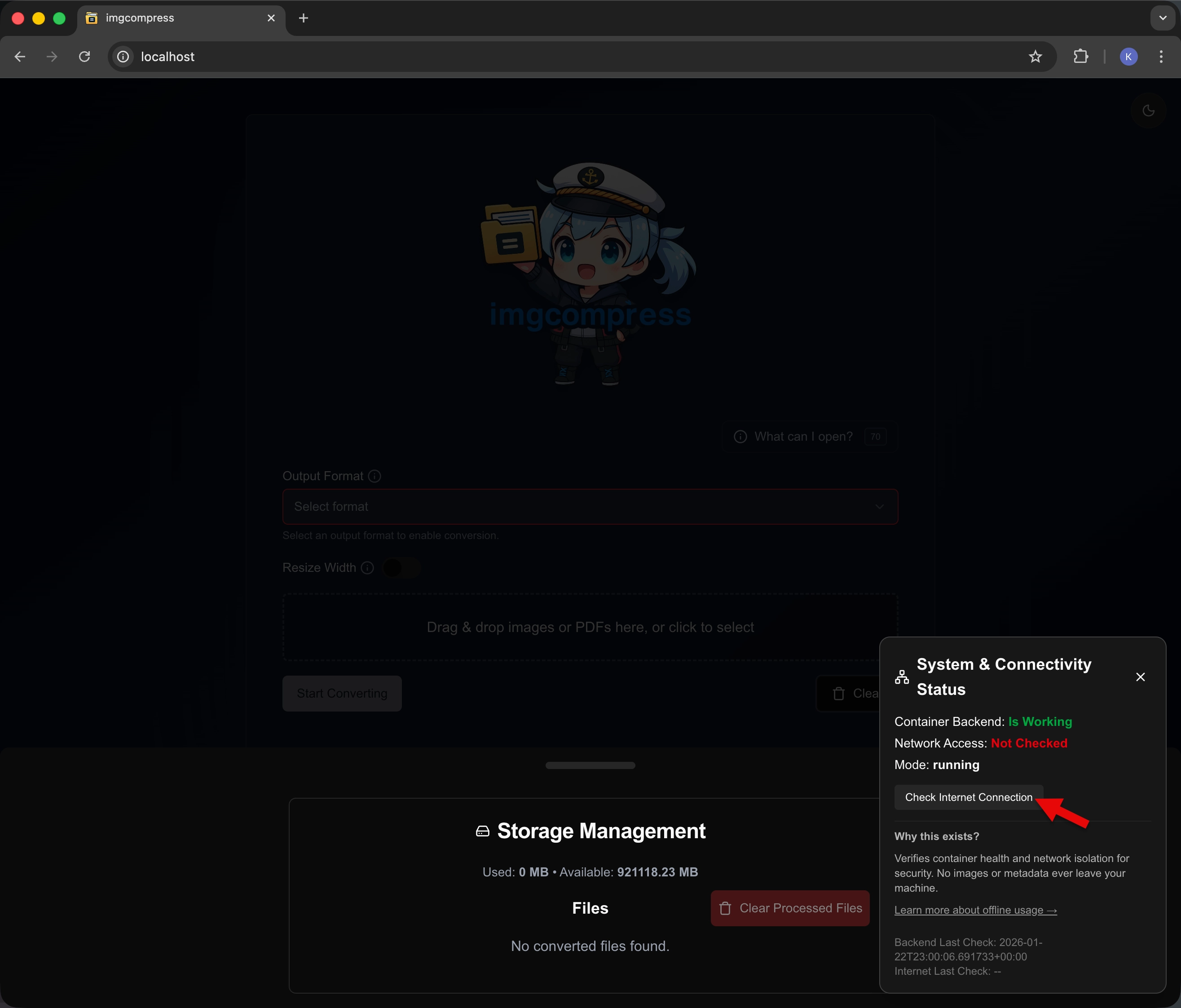 View Results View Results | See your status Look at the results to see if you are online or offline. |
- How it works: It pings Cloudflare (1.1.1.1) to test connectivity.
- Privacy: No files or personal data are sent. This is a connection test only.
| Offline (isolated) | Online |
|---|---|
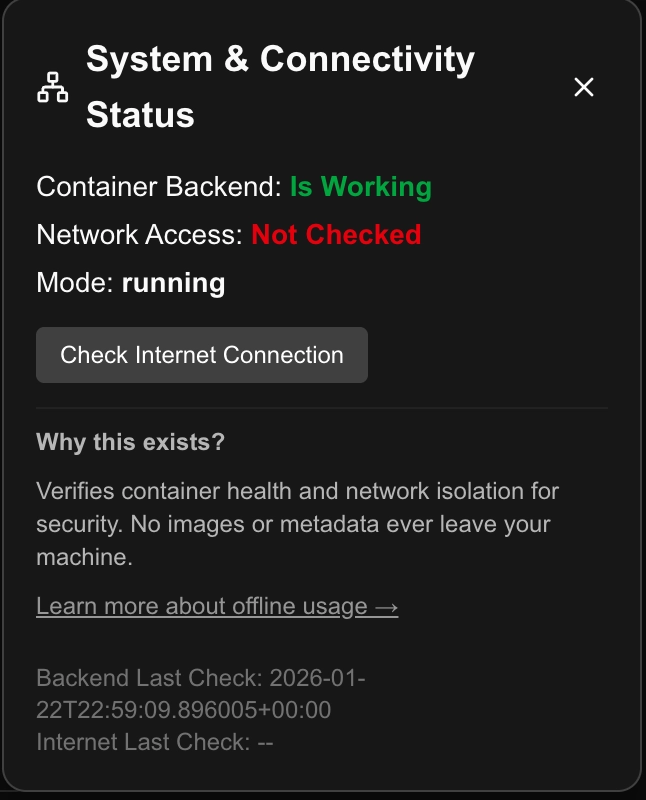 Restricted status Restricted status | 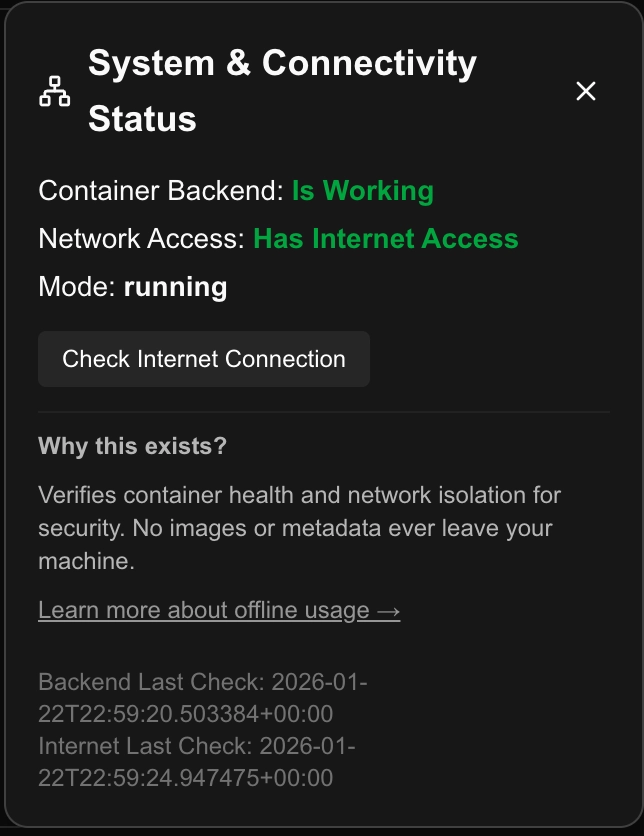 Online status Online status |
Update Notifications#
I want you to know exactly what imgcompress does on the network. To make sure you never miss an important fix, I included a privacy-safe version check.
How it works#
- Your version: The app reads which version is currently running on your server.
- GitHub check: It makes a single request to GitHub to fetch the latest release version number.
- Comparison: If a newer version exists, a small update banner appears in the UI.
What it looks like#
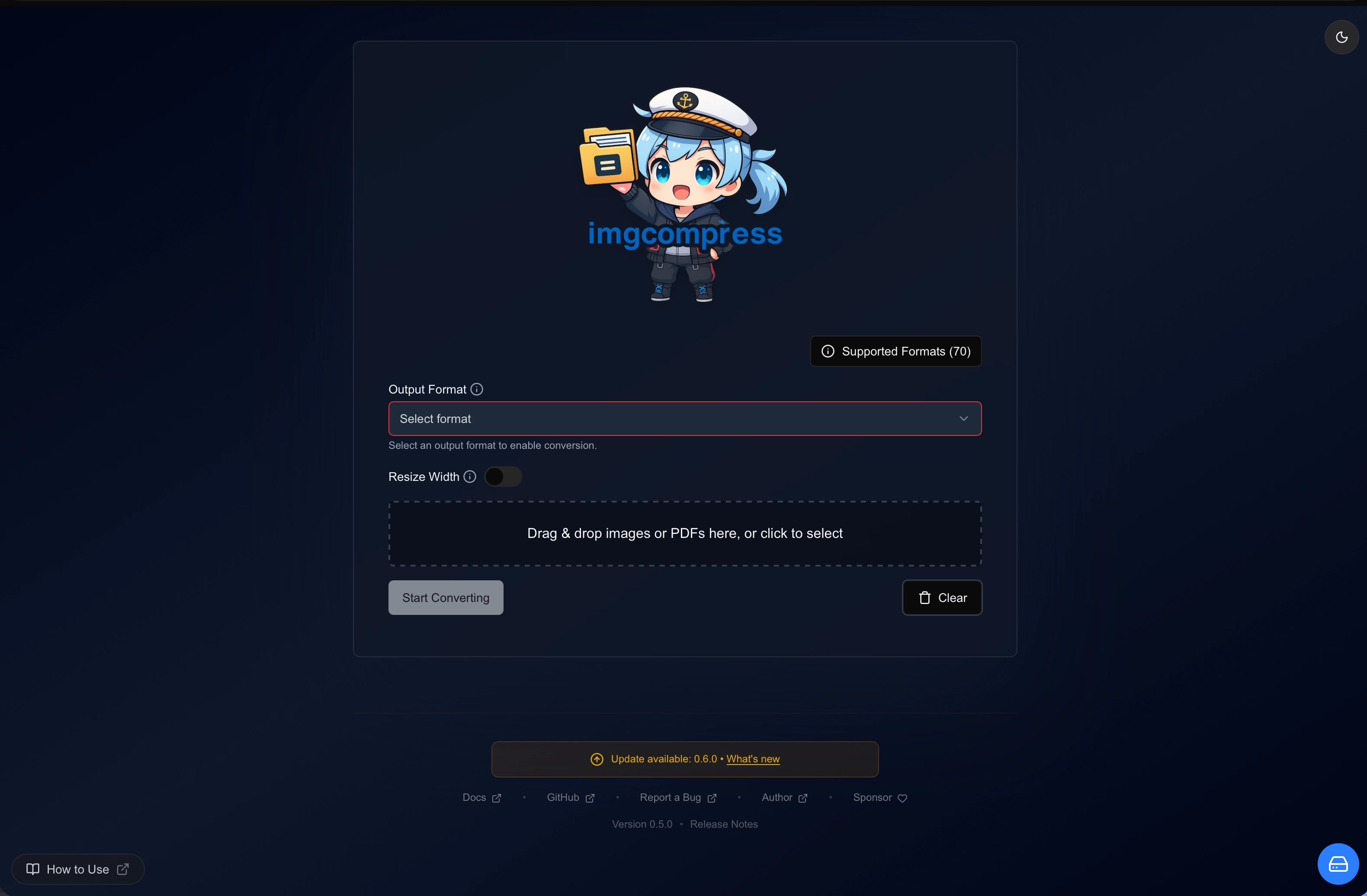 Update notification banner
The check only reads a version number (e.g. v0.6.0). No files, no IP logging, no identifiers of any kind are shared.
You can verify every line of code and every network call directly on the GitHub Repository.