Playwright E2E Testing
Run and debug Playwright end-to-end tests for imgcompress. Covers interactive UI mode, step-by-step debug mode, targeted test runs, and validating the full test suite to ensure CI passes before you push.
All commands below should be run from the frontend/ directory:
bashcd frontend
Development and Debugging#
Interactive UI Mode (Recommended)
The best way to work on tests locally. It gives you a visual timeline, time-travel debugging, and DOM snapshots for every test step. I use this on my Mac — it makes debugging Playwright tests much easier.
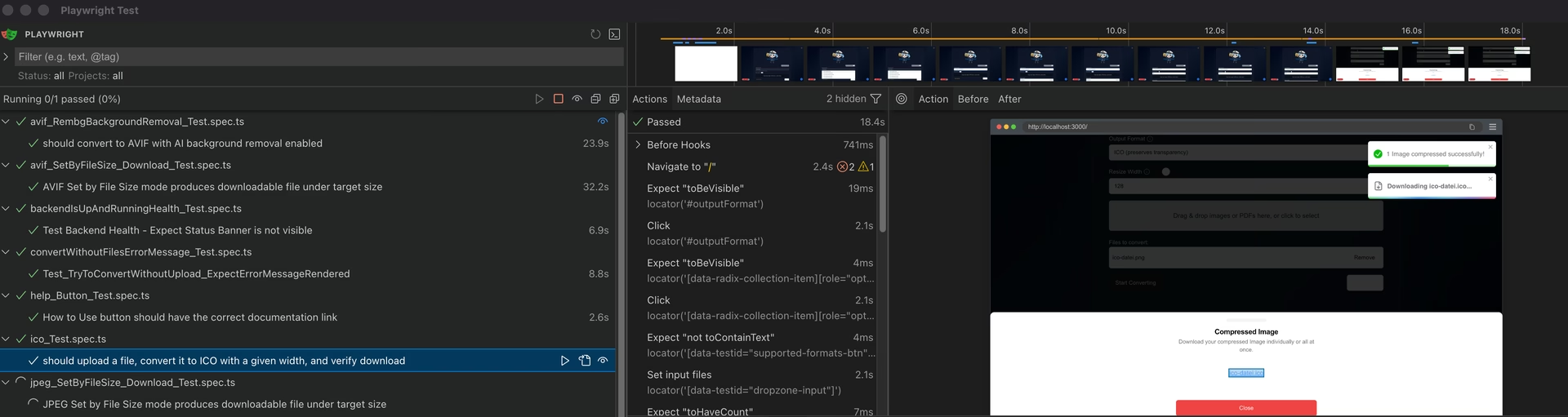 ImgCompress Playwright E2E interactive UI mode dashboard showing automated browser test execution on macOS
bashpnpm exec playwright test --ui
Debug Mode
Launches the Playwright Inspector so you can step through tests line by line in a real browser.
bashpnpm exec playwright test --debug
Targeted Test Execution#
Single test file (fastest feedback)
bashpnpm exec playwright test --config=playwright.config.ts tests/e2e/avif_SetByFileSize_Download_Test.spec.ts
Feature group (e.g. PDF workflows)
bashpnpm exec playwright test --config=playwright.config.ts -g "pdf"
Or by filename pattern:
bashpnpm exec playwright test --config=playwright.config.ts 'tests/e2e/pdf_.*\.spec\.ts'
Full suite (pre-push)
bashpnpm exec playwright test --config=playwright.config.ts
Key Flags#
| Flag | Description |
|---|---|
--headed | Run in a visible browser window. |
--project=<name> | Target a specific browser: chromium, firefox, or webkit. |
--trace on | Record a trace viewable in the Playwright trace viewer. |
--workers=1 | Force serial execution, helpful for debugging race conditions. |
Viewing Reports#
If a test fails in a headless environment (like CI), view the HTML report locally:
bashpnpm exec playwright show-report