Quick Docker run
Best for trying ImgCompress locally or running it on a workstation.
docker run -d --name imgcompress -p 3001:5000 karimz1/imgcompress:latestImgCompress is a private Docker image compressor and converter for people who do not want to upload files to an online compressor. Run it on a server, NAS, homelab or workstation, then compress and convert batches from your browser.
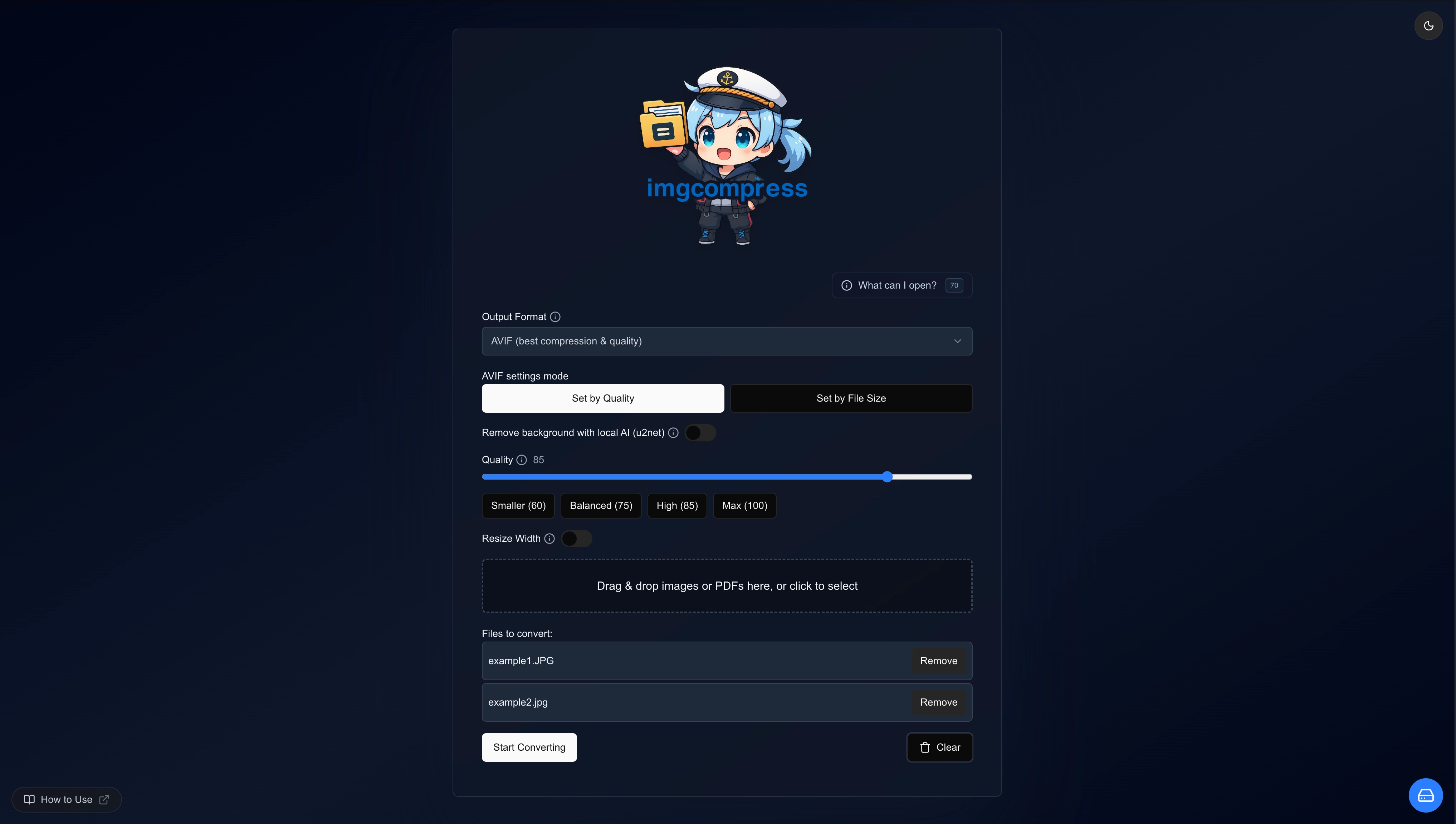
The page is for users searching for a Docker image compression tool, not a hosted upload service. Start with a single command, or use Docker Compose for a persistent NAS, homelab or internal team server.
Full Docker installation guideBest for trying ImgCompress locally or running it on a workstation.
docker run -d --name imgcompress -p 3001:5000 karimz1/imgcompress:latestBest for a server, NAS, homelab or team instance that should restart automatically.
services:
  imgcompress:
    image: karimz1/imgcompress:latest
    container_name: imgcompress
    restart: always
    ports:
- "3001:5000"Most image compression tools are public web services. ImgCompress is different: it runs where your files already live and gives you a browser UI plus CLI for repeatable jobs. That makes it useful when images are private, large, numerous or part of an internal publishing workflow.
Start ImgCompress with docker run, Docker Compose or Coolify and open the local web interface.
Drop in single files or batches, then choose compression, conversion, resizing or local background removal.
Save one file, download the whole batch as a ZIP, or use the CLI when a repeatable job fits better.
Process folders of images with quality controls and ZIP downloads without sending source files to a third-party service.
Convert HEIC, HEIF, WebP, AVIF, PNG, JPG, PSD, TIFF, GIF, PDF and many other formats from the same Docker app.
Run image compression on your own server, NAS, homelab, workstation, Coolify instance or private network.
Photos, screenshots and design files stay on your infrastructure because processing happens locally in the container.
Online compressors are convenient for public files. A self-hosted image compressor is a better fit when privacy, repeatable batches and Docker deployment matter.
Compress images to reduce file size, convert them to modern formats, or keep an internal image conversion workflow available for everyone on your network.
Quick answers for people comparing self-hosted image compression tools, Docker image converters, and private alternatives to online compressors.
Yes. ImgCompress runs as a Docker container and provides a web UI and CLI for image compression, conversion, resizing and batch processing.
ImgCompress runs on your own Docker host, so you do not need to upload private photos, screenshots, product images or design files to a public web service.
Yes. ImgCompress converts 70+ image formats, including HEIC, HEIF, PSD, AVIF, WebP, PNG, JPG, TIFF, GIF and PDF, while running on your own infrastructure.
No. ImgCompress processes files inside your own Docker container, so photos, screenshots and design files stay on your machine, NAS or private server.
Yes. ImgCompress is designed for Docker, so it fits Linux servers, NAS devices that support containers, homelab machines, Coolify deployments and private team servers.
It is built for self-hosters, homelab users, developers, designers and teams that need private batch image compression instead of a public online compressor.
Pull the Docker image, open the web UI, then compress and convert images from your browser.
View installation guide