Your Privacy
imgcompress is built to keep your photos safe. Everything happens on your own computer and nothing is ever uploaded to a cloud.
Staying Private
The best way to be safe is to stay offline. Your photos never leave your machine. All the work happens locally inside your Docker container.
The Heartbeat Check
I've added a Heartbeat Check button so you can quickly see if the app can touch the internet. It is a simple way to verify that your Docker container is truly cut off from the web without you needing to open a terminal.
| Step | How it looks | What to do |
|---|---|---|
| 1 | 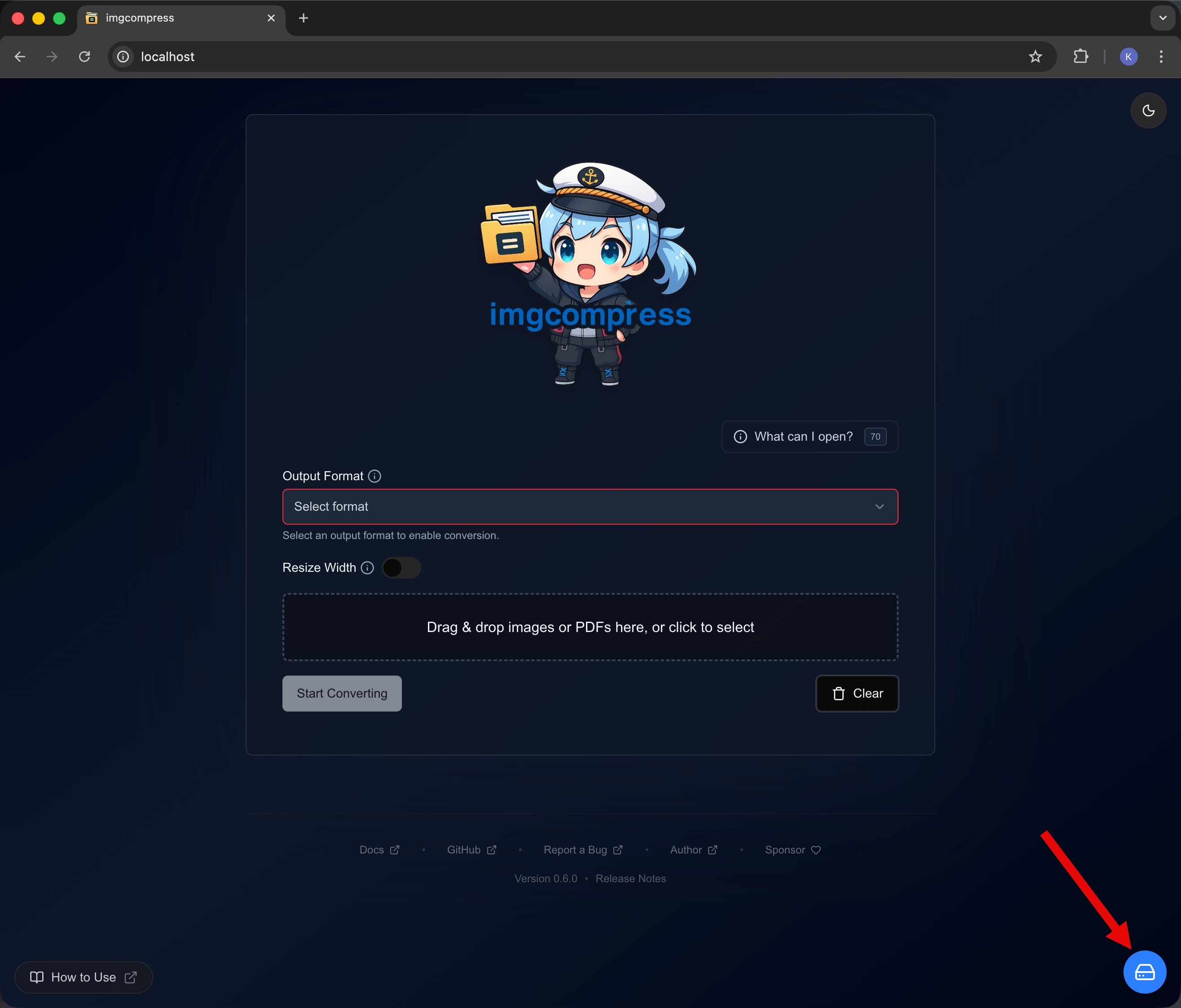 |
Storage Menu Open the "Storage Management" section in the app. |
| 2 | 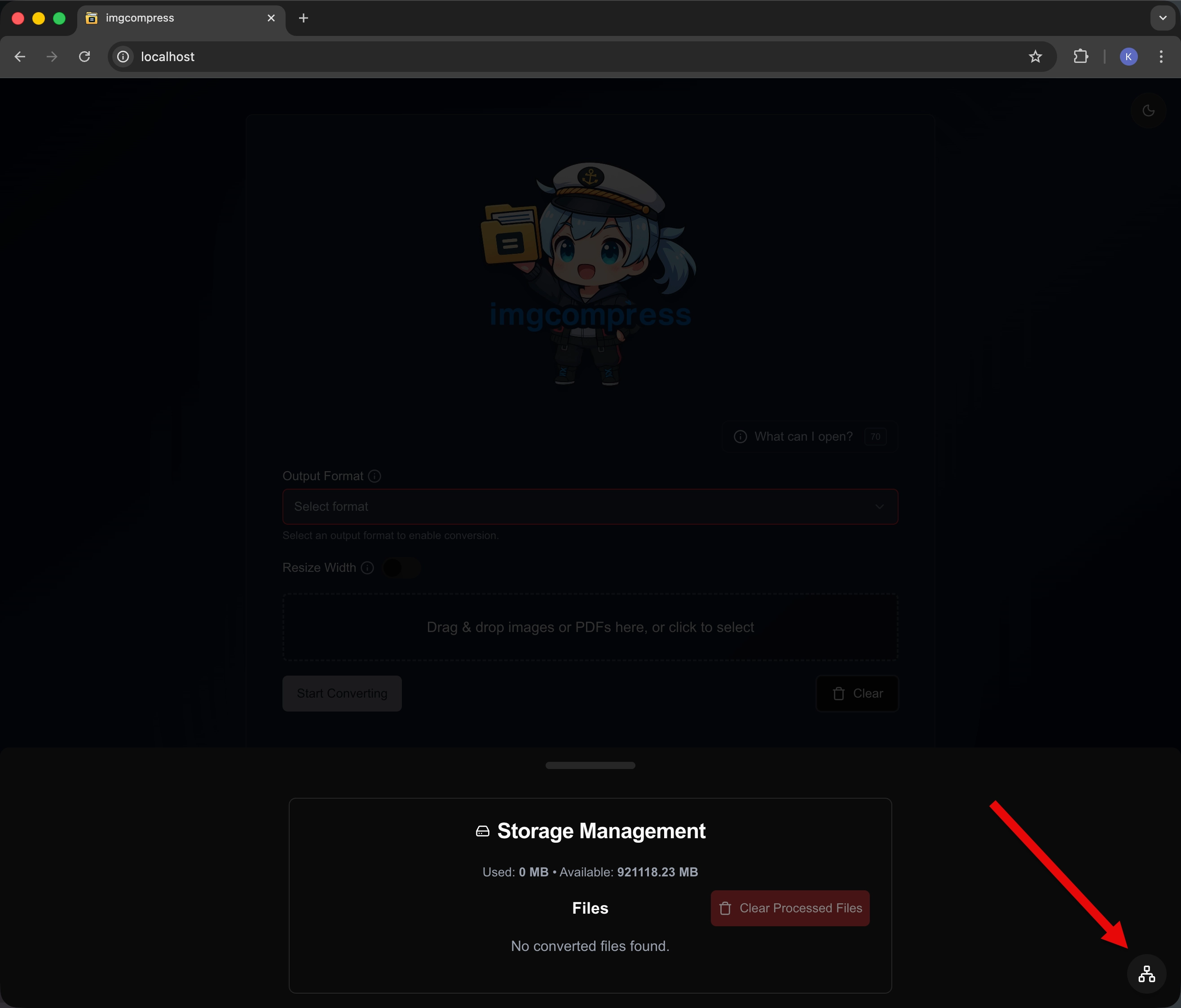 |
Check Status Click the "System & Connectivity Status" button. |
| 3 | 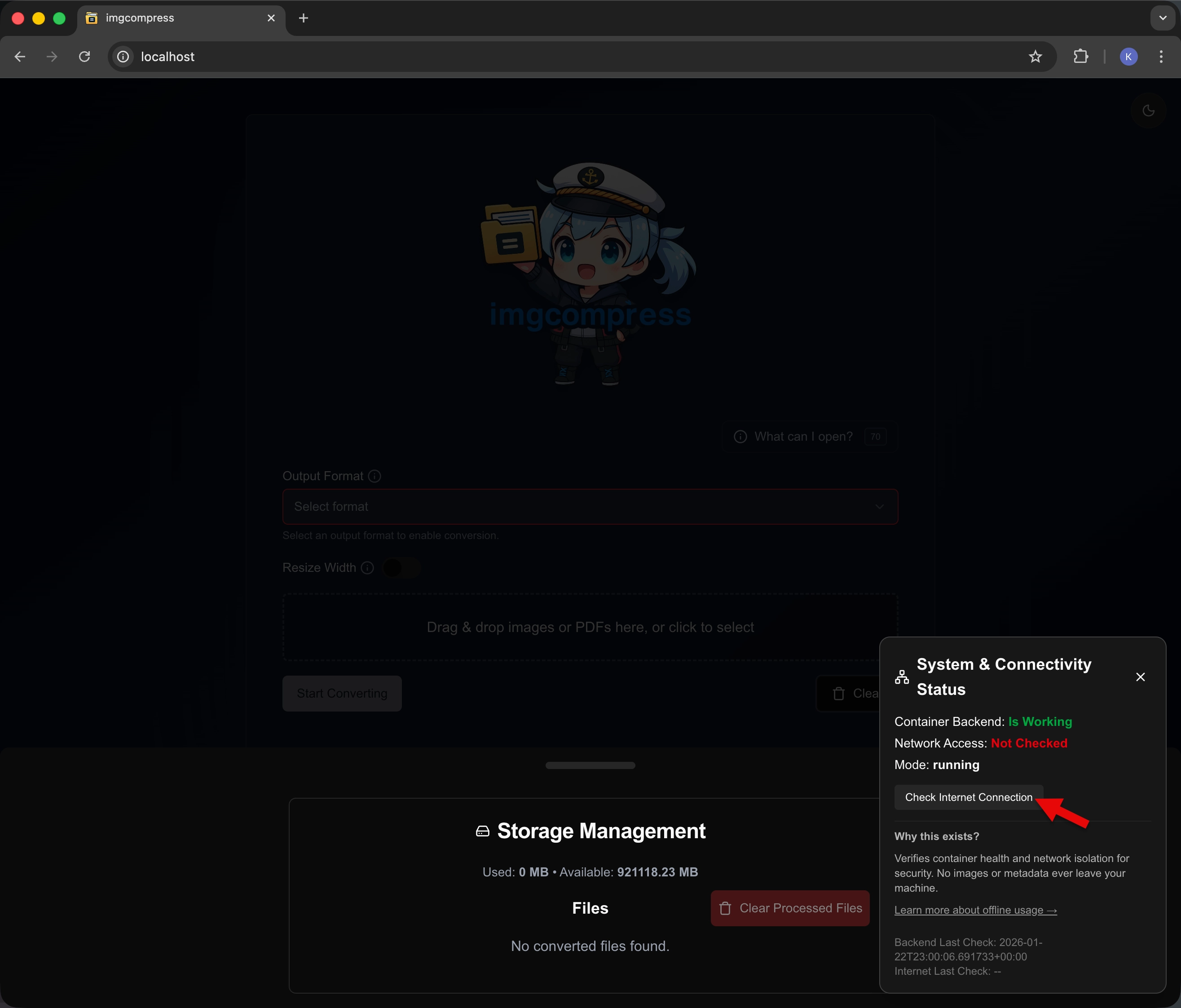 |
See your status Look at the results to see if you are online or offline. |
- How it works: It asks a public server (Cloudflare at 1.1.1.1) if it is there.
- Privacy: No personal info or files are ever sent. This only checks if a connection is open.
| Offline (Safe) | Online |
|---|---|
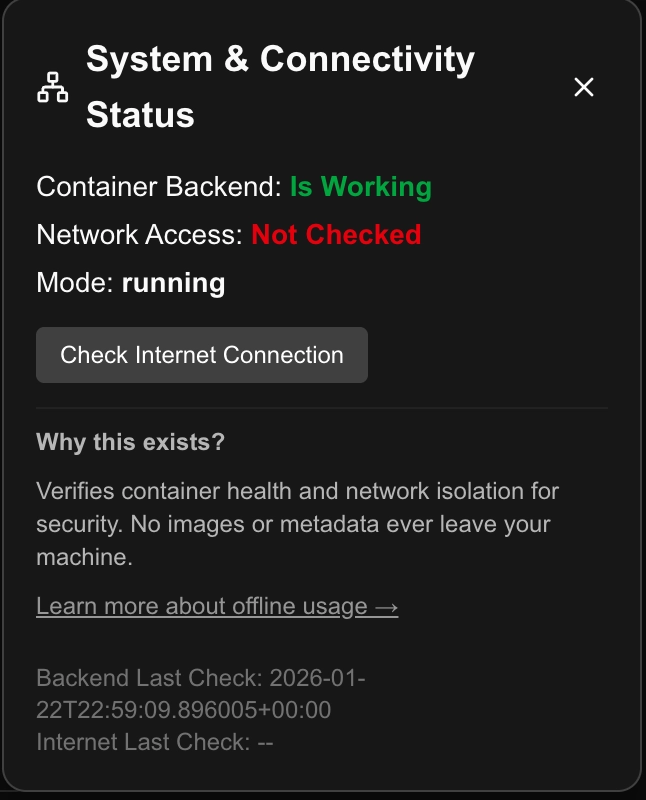 |
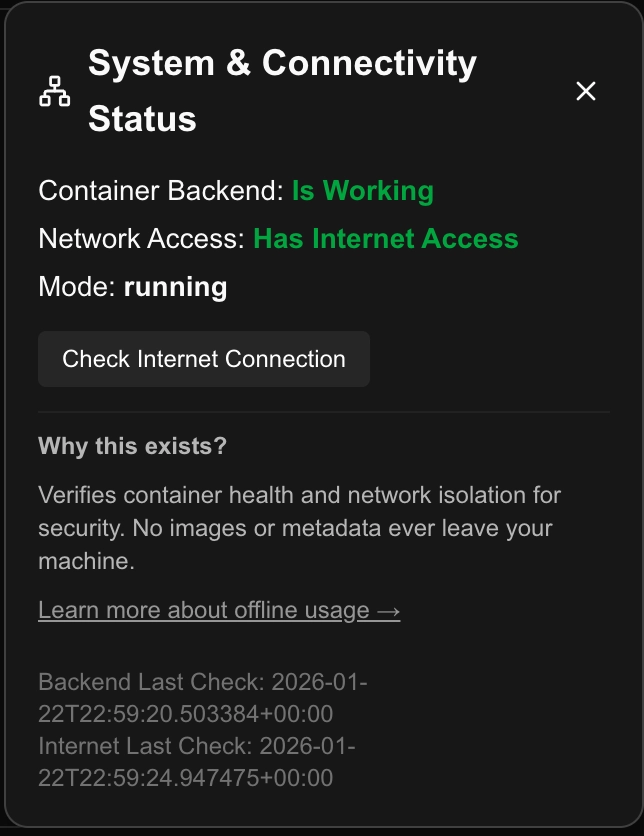 |
Update Notifications
imgcompress is 100% open source and I want you to know exactly how it talks to the web. To make sure you never miss an important fix, I included a privacy-safe update check.
How it works
- Your Version: The app looks at which version you are using right now.
- GitHub Check: The app take a quick, secure peek at GitHub to see the latest version.
- Comparison: If GitHub has a newer version, an update banner appears in your app.
What it looks like
If there is an update, you will see a small message at the bottom of your screen like this:
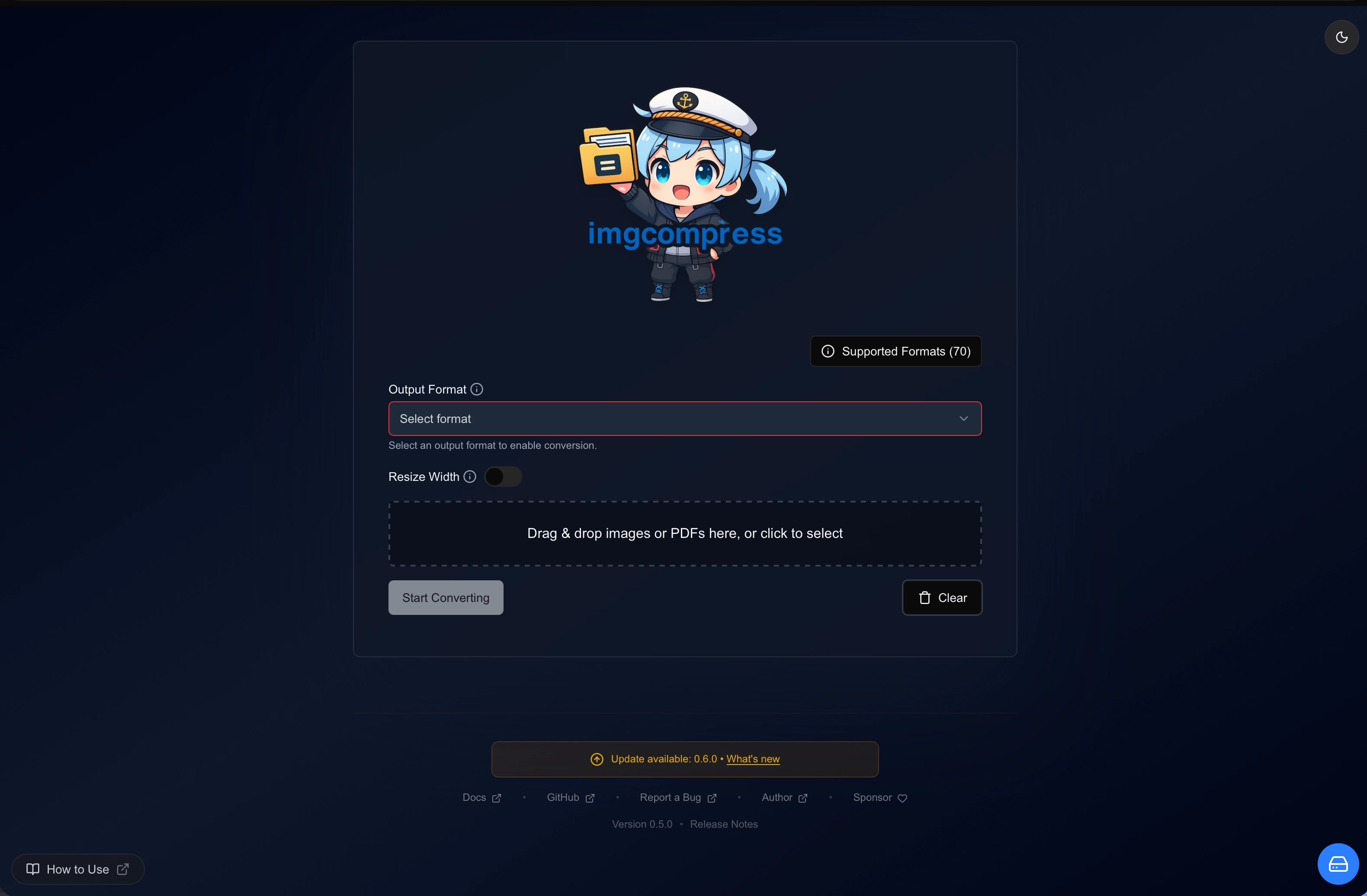
- Privacy First: This check is anonymous and only reads version numbers (like v0.6.0). No personal files or info are ever shared.
100% Transparency
You can verify every code change I make directly on the GitHub Repository.