Playwright End-to-End Testing Guide
Overview
This document outlines the commands for running and debugging E2E tests within the frontend workspace. All commands should be executed from the frontend/ directory.
Development & Debugging
The Interactive UI Mode (Recommended) For the best experience during local development, use the UI mode. It provides a visual timeline, "time-travel" debugging, and automatic snapshots of the DOM for every test step.
I use that on my Mac makes debugging the Playwright tests cleaner in an easy ui suite.
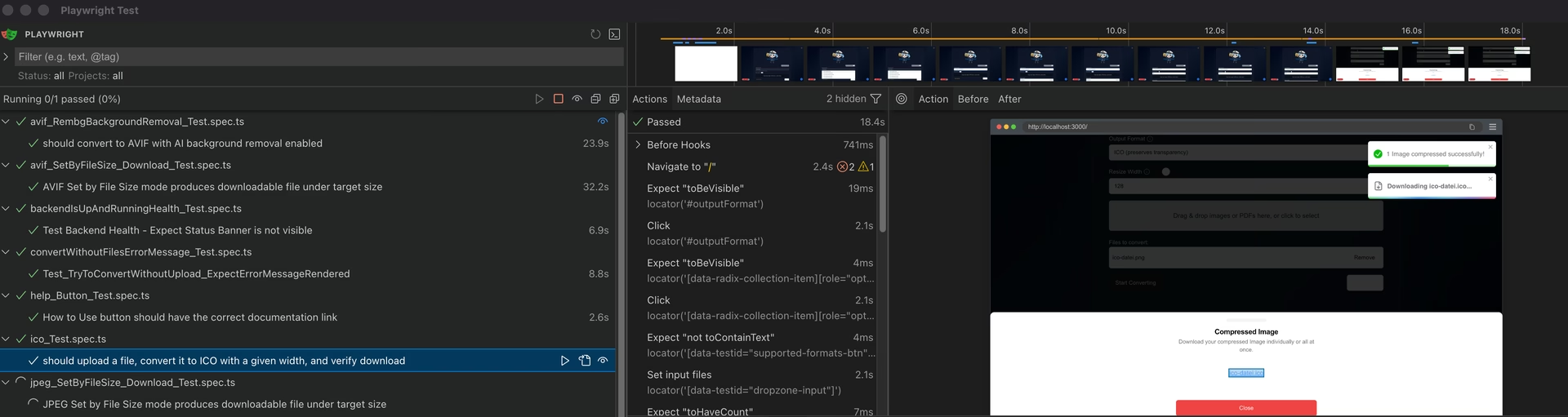
Debug Mode Launches the Playwright Inspector, allowing you to step through your tests line-by-line in a headed browser.
Targeted Test Execution
Use these commands to narrow your test scope, keeping the feedback loop fast while iterating on specific features.
Test a Single Feature (Fastest Feedback) Run a specific spec file while working on a targeted fix or feature.
pnpm exec playwright test --config=playwright.config.ts tests/e2e/avif_SetByFileSize_Download_Test.spec.ts
Run a Feature Group (e.g., PDF Workflows) Use regex to run all tests related to a specific module, such as a PDF regression sweep.
Note: Alternatively, you can target the filename pattern:
Full Suite (Pre-Push Validation) Execute the entire test suite to ensure no regressions exist before pushing to the repository.
Key Execution Flags
| Flag | Description |
|---|---|
--headed |
Run tests in a visible browser window. |
--project=<name> |
Target a specific browser (e.g., chromium, firefox, or webkit). |
--trace on |
Record a detailed trace of the run (viewable in the Playwright trace viewer). |
--workers=1 |
Force serial execution; helpful for debugging race conditions. |
Post-Test Reports
If a test fails in a headless environment (like CI), you can view the detailed HTML report locally: